

01 Apr Birth Certificate download Karnataka Ejanma Portal
Birth Certificate download Karnataka Ejanma Portal
Table of Contents
Online Gazette Application Form
Birth Certificate Download Karnataka: Complete Guide to eJanma Portal (2026)
By Priya Nair | Document Assistance Specialist | 9 years helping Karnataka residents navigate government portals
It is possible to download a birth certificate in Karnataka in a single go. I have helped scores of people with this — some frantic at midnight before a visa interview, others needing it for school registration. The eJanma portal is functional but there are some surprises in store. This article explains the process, the error messages you'll see, and how to deal with a recalcitrant portal.
What Is the eJanma Portal?
eJanma is Karnataka's portal for birth and death registrations, run by the Directorate of Health and Family Welfare Services. You can access the portal at ejanma.karnataka.gov.in.
It was rolled out in stages for Karnataka's Urban Local Bodies and Gram Panchayats. Not all historical records have been digitised. If you are spending 40 minutes trying to troubleshoot, first check whether your birth was registered before 1990 in a rural area — there is a good chance it has not been digitised yet.
This system interfaces with the national Civil Registration System (CRS). Certificates downloaded through the system are digitally signed and accepted for most official purposes such as applying for passports, school enrolment, and court.
Important: The portal has two flows — one to download a registered certificate, and another for applying fresh. If you have already registered your certificate, do not use the application flow. You will be wasting time and may create a duplicate record.
Who Can Use eJanma for Karnataka Birth Certificate Download?
The portal does not have a rigid eligibility filter. Any party with the registration details can attempt to download. But practically:
- The birth must have been registered in Karnataka.
- It must be in the digital system (registrations after 2000 are nearly always available; those before 1990 in rural areas are frequently not).
- You will require the registration number, or the name of the child, date of birth, and place of birth.
Note: If the birth was registered at a private hospital in Bengaluru, it is normally in the system within the same week. Government hospital registrations may take 2–3 weeks to appear online even after the hospital has submitted the form.
Documents and Details You'll Need
Before opening the portal, prepare the following:
- Registration number (from the original birth certificate or hospital discharge summary)
- Registered full name of the child (not a home name or nickname)
- Date of birth
- Place of birth — hospital name or village where registration occurred
- Mobile number for OTP verification
- Email ID (optional, but helpful for receiving the PDF link)
If you do not have the registration number, the portal has a search-by-name feature. It works, but it is slow and may return multiple results for common names.
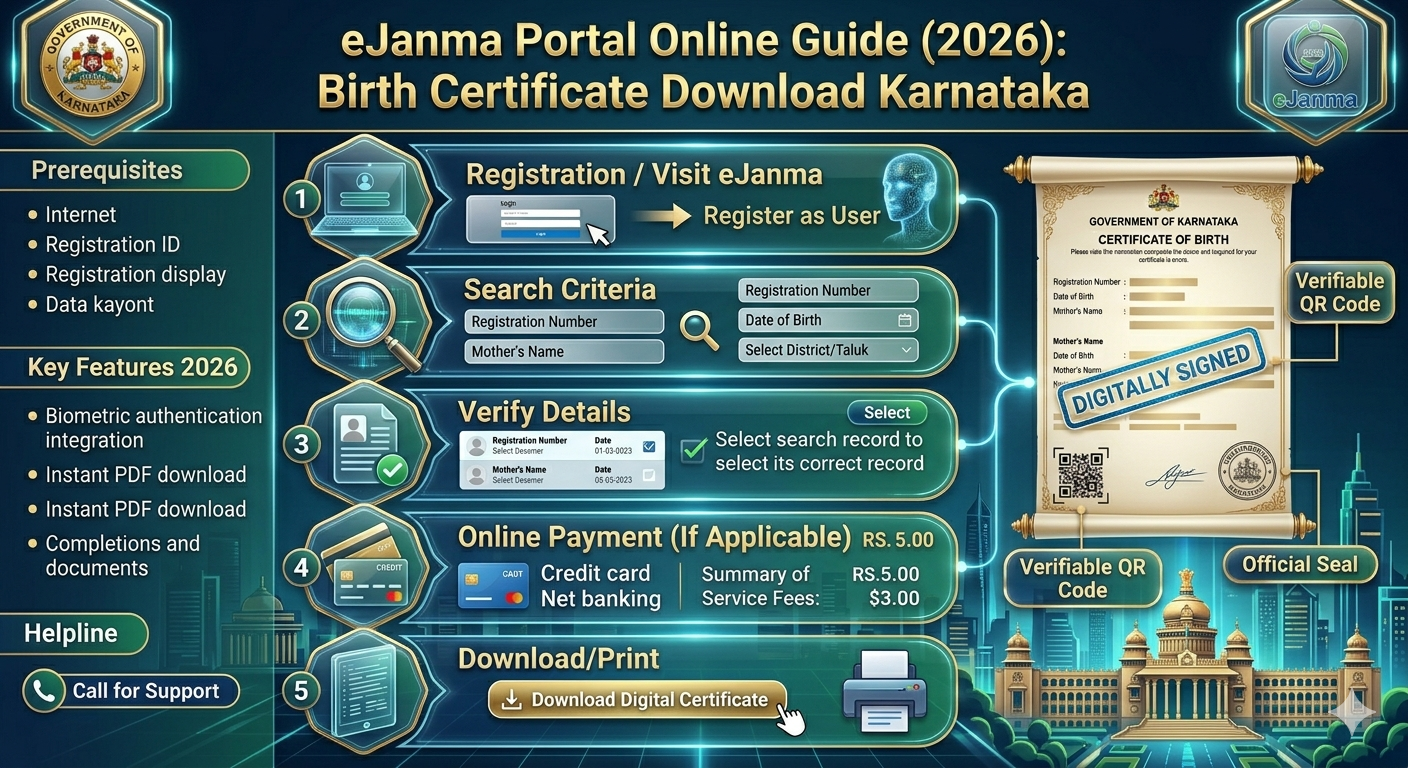
Step-by-Step: How to Download Birth Certificate Online Karnataka
The following is the actual process as confirmed in March 2026 via ejanma.karnataka.gov.in.
-
Visit the Portal
Go to ejanma.karnataka.gov.in. The homepage loads in Kannada by default. Switch to English using the language menu in the upper right.
-
Click "Download Certificate"
Do not click "Apply Online." These are two distinct flows and it is easy to click the wrong button.
-
Select Birth Certificate
Choose "Birth Certificate" from the dropdown menu.
-
Enter Registration Details
Enter the registration number if you have it. Otherwise, choose "Search by Name" and enter the child's name, date of birth, and district.
-
Verify the Record
The system will show matching records. Verify the date and father's name to confirm you have selected the correct entry.
-
Enter Your Mobile Number
Provide your mobile number. An OTP is typically received within 60 seconds, though during peak periods (weekday mornings) it may take 4–5 minutes.
-
Verify OTP
Enter the OTP and click Verify.
-
Download the PDF
A download link for the Karnataka birth certificate PDF will be generated. Right-click and Save As, or use the Download button. Do not close the tab before saving — the link will expire.
-
Check the PDF
Verify the name spelling, date of birth, parent names, registration number, and the digital signature at the bottom. If Adobe Reader shows the signature as "Unknown," see the troubleshooting section below.
On a clean run, this entire process takes approximately 8–12 minutes.
Troubleshooting Common Errors
- Record Not Found (even though the birth was registered)
- The most common cause is a spelling mismatch. The portal is case-sensitive and strict. Use the spelling as it appears on the hospital discharge paper, not the common spelling of the name.
- OTP Not Received
- The OTP is sent to the mobile number registered at the time of birth registration — which may be the hospital's number. Visit the nearest ward office or Gram Panchayat to update the mobile number, then try again.
- Portal Unavailable
- The system undergoes maintenance on Saturdays and late Friday evenings. Try on weekdays between 10 AM and 4 PM.
- PDF Downloads But Has Blank Fields
- This is a browser rendering issue. Use Chrome or Firefox. iOS Safari sometimes renders the Karnataka government PDF template incorrectly.
- Digital Signature Shows as Invalid in Adobe
- The certificate is valid — the issue is that your PDF reader does not have the NIC (National Informatics Centre) certificate authority installed. Open Adobe Acrobat Reader DC, go to Edit → Preferences → Trust Manager, and enable automatic downloading of Adobe-approved certificates. The signature will then verify correctly.
Fees and Processing Time
- Download of an existing registered certificate: Free, as of March 2026. Do not use third-party sites that charge ₹200–₹500 for the same certificate available free on eJanma.
- Fresh registration within 21 days of birth: Free.
- Registration between 21 days and 30 days: ₹5 late fee.
- Registration after 30 days: Additional late fees apply. The process moves offline and typically requires a magistrate order.
- Download timeline for existing records: Immediate, assuming the record is in the system.
- Application processing time: 7–21 working days on average, depending on the ULB or Gram Panchayat.
Verifying and Printing Your Karnataka Birth Certificate PDF
A QR code appears in the bottom-left corner of the downloaded PDF. Any government official can scan this to confirm authenticity. For most purposes, no physical attestation is required.
Printing Tips
- Use A4 paper in portrait orientation.
- Print at full size — do not scale to fit. Enlarging distorts the QR code and it will not scan correctly.
- Colour printing is not necessary. Black and white is accepted everywhere, including passport offices.
The downloaded version is already a certified copy. You do not require an additional office stamp for most uses.
Note: Some government officers may still request a physical stamp from the issuing authority. In that case, bring the downloaded PDF to the relevant ward office. They can stamp it, usually within 30 minutes or the same day.
Wrapping Up
Downloading a Karnataka birth certificate is straightforward when the record is in the system. The eJanma portal works as intended most of the time.
Common issues are: using the wrong flow (downloading vs. applying), spelling mismatches, and browser PDF rendering problems. All of these can be resolved using the steps above.
If the record is not in the system, visit the ward office in person with the hospital discharge summary. It is a slower process but it gets done.
For further help, contact the eJanma help desk at 080-22251989 on working days.
FAQs: Birth Certificate Download Karnataka
How to download birth certificate online Karnataka using eJanma portal?
Visit ejanma.karnataka.gov.in. Select "Download Certificate" not "Apply Online". Enter registration number or look up by name. Verify with OTP. The Karnataka birth certificate download PDF is available. Close the link before saving, as it doesn't remain open.
What is the direct link for Karnataka birth certificate download PDF free?
The link is https://ejanma.karnataka.gov.in. It's free. No amount to download a registered certificate. Don't waste your money on the website that charges you ₹200+. It's not going to do any good.
How to check birth certificate Karnataka online status after application?
Go back to ejanma.karnataka.gov.in, log in again with your reference number. Click "Track Application". Track it as the ward office works on it. The answer is: the status page may not update until the certificate is ready. If it's been 15 working days and it still says "Pending", contact.
Can I download the birth certificate of Karnataka from a mobile app in 2026?
Yes. The download of birth certificate Karnataka is possible with mobile browsers, like Chrome on Android. There is the Seva Sindhu app and DigiLocker too. DigiLocker is worth checking if your birth is after 2000. It may be there already. No OTP required
How to get a duplicate birth certificate downloaded from Karnataka instantly?
eJanma doesn't have a "duplicate" process. The download process is the same - every download is technically a duplicate. Log in to ejanma.karnataka.gov.in, do the same thing. And the new one is as good as the original. "Duplicate" is a remnant from when certificates were printed on paper.
What documents needed for birth certificate online apply Karnataka?
To apply for a birth certificate online in Karnataka, you need: discharge card or declaration of birth from hospital, ID card of parents (Aadhaar card will do), address card, and mobile number of parent. In the case of home birth, a gazetted officer or village head's declaration is needed instead of the hospital document. Sometimes the list varies district to district. Better check with the ward office.
How to download birth certificate Karnataka if registration number is lost?
The name search on ejanma.karnataka.gov.in requires: full name, date of birth, and district. If there are multiple results (common names) narrow using parents' names. Still can't find it? It's stored in a hard copy register at the ward office. They can search for it and provide the number. Take any document with the date of birth to help them.
Is eJanma Karnataka gov in safe for birth certificate download Karnataka?
It's the official portal. The portal is ejanma.karnataka.gov.in - make sure you see the HTTPS and .karnataka.gov.in before you type anything. Never use sites that have similar URLs. It doesn't require payment or photos of your Aadhaar card. If they ask you for those, it's not eJanma.
How long does birth certificate download Karnataka take online?
To download an already registered record - minutes. Literally. SMS OTP, download the PDF, there you go. For a new birth, 7-21 working days. Gram Panchayat registrations in rural areas can be delayed based on workload. N/A for fresh applications.
How to print a birth certificate and download Karnataka PDF at home?
Use Adobe Acrobat Reader. Print scale 100% - not "fit to page". Portrait orientation, A4. Print. You need to be able to read the QR code in the corner. If your printer trims margins, make sure margins are set to "none" or "minimum". Black and white is fine. The digital signature is part of the file, and it doesn't print out.